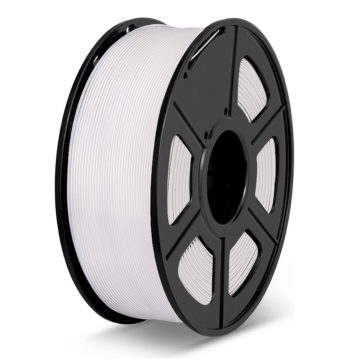
A well-calibrated 3D printer produces cleaner first layers, more consistent dimensions, and fewer failed jobs. Start by checking the machine and build surface, then tune nozzle height, material temperature, print speed, and extrusion in a controlled order.
For repeatable results, change one setting at a time and test it with a small print before committing to a complex model.
Why Calibration Matters for PLA Filament
Calibration helps separate printer problems from material or slicer issues. A print that lifts from the bed may need a cleaner surface or a better first-layer height; visible gaps between lines can signal that the nozzle is too far away.
Stringing, rough surfaces, or inconsistent dimensions may have different causes, so adjust one variable at a time to trace which setting is responsible.
- Check the Printer Before Changing Slicer Settings
Begin with the basics. Make sure the printer sits on a stable surface, the build plate is clean, and the nozzle is free of old material. Check belts, screws, and moving parts according to the printer manufacturer’s instructions.
If your machine has automatic bed leveling, run the prescribed routine—but remember that leveling does not replace first-layer calibration.
Use a consistent setup for each test: the same build plate, nozzle, filament, and slicer profile. If you change a nozzle, alter the toolhead, move the printer, or replace the build surface, revisit the relevant calibration steps. A clean starting point makes results easier to interpret.
Also confirm that your slicer profile matches the installed nozzle diameter and selected layer height. Settings intended for a different nozzle can change extrusion width and affect how the finished surface looks.
- Set the First-Layer Height
The first layer is the foundation of the print. Run your printer’s first-layer test and watch how the pla filament lands. As outlined in the Prusa Knowledge Base’s first-layer calibration guide, lines should join into a smooth, even surface.
If they look round and leave gaps, the nozzle may be too high. If the plastic is excessively flattened, ridged, or pushed up at the edges, it may be too close.
Adjust the Z offset in small increments, following your printer’s instructions. Do not copy an offset number from another machine: the correct value depends on the printer and build surface. Clean the plate before testing, because oils or dust can cause adhesion problems that look like a calibration fault.
- Match Temperature and Speed to Your PLA Filament
Use the filament maker’s recommended settings as a baseline, then test within the listed range. SUNLU’s standard PLA page gives the following reference settings:
| Setting | SUNLU PLA reference |
| Nozzle temperature | 200–210°C at 50–100 mm/s; 210–240°C at 100–200 mm/s |
| Heated bed | 50–60°C |
| Retraction distance | 0.8–1.2 mm |
| Retraction speed | 30–40 mm/s |
These values are product guidance, not a fixed rule for every printer. Start with a moderate speed and temperature from the applicable range. A temperature tower can reveal how temperature affects bridging, surface quality, and stringing.
If the first layer will not stick, check bed cleanliness and nozzle height before simply raising the temperature.
- Tune Extrusion and Retraction
Once the first layer and temperature are stable, investigate flow and travel-related defects. Under-extrusion may appear as gaps, weak walls, or incomplete top surfaces; excessive flow can create bulges and rough edges.
Confirm that the filament feeds smoothly and that the nozzle is not partially clogged before adjusting the slicer’s flow setting.
Stringing between separate parts can be related to temperature, retraction, travel moves, or damp filament. Change one variable at a time and print a short retraction test. Excessive retraction can introduce other issues, so use the filament and printer recommendations as a guide rather than applying a large change all at once.
- Verify the Result with a Small Test Print
Before printing a large or detailed model, use a first-layer pattern, temperature tower, or simple calibration object. Check adhesion, layer consistency, corners, bridges, and dimensions against the design. Record the material, nozzle, build plate, temperature, speed, and successful slicer settings so the profile can be reused.
| Symptom | What to check first |
| First layer lifts | Plate cleanliness, first-layer height, bed temperature |
| Gaps between lines | Nozzle height, filament feed, flow |
| Stringing | Temperature, retraction, filament condition |
| Bulging or rough edges | Flow, temperature, cooling, print speed |
Drawing on the Prusa Knowledge Base’s calibration guides, the table above summarizes common issues and where to check first. A single symptom can have several causes, so treat it as a troubleshooting starting point rather than a universal answer.
Choose Consistent 3D Printing Consumables
Calibration works better when material settings are traceable and repeatable. When opening a new spool of PLA filament, begin with its product guidance and record any adjustments needed for your specific machine. Keep unknown materials out of a single print unless the printer and slicer are configured for that combination.
SUNLU supplies PLA and related 3D printing consumables across its product range. Use the product’s own instructions as the baseline, then let controlled test prints guide fine adjustments. A clean machine, a carefully set first layer, and a documented profile make successful prints easier to repeat—without relying on trial and error for every job.
